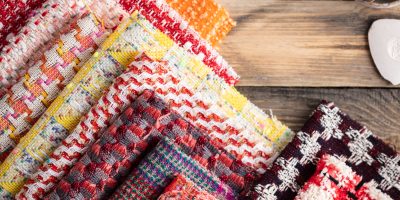
Our new online community was designed to enable our crafters showcase their work using our tweed, to inspire other makers and to show the potential that our fabrics have. To help you to navigate this, we’ve created a step-by-step guide to using the community - and we’d love for you to share your next finished project with us!
Step-By-Step Guide To Sharing Your Tweed Projects On Our Community Page
Our website had a well-needed revamp back in October, and you may have noticed a few new features. There’s one in particular that we’d like to guide you through, mostly because it’s an area of the website that you, Linton Tweeds shoppers, can shape.


Step 1 - Create an account or log in to your existing account
Head over to the community page, and click the ‘join our community’ button in the top right hand corner. If you haven’t got an account yet, you’ll see an option to ‘create an account’, and if you are already registered with us, you’ll see an option to ‘login’.
If you have shopped with us before, you will already have an account - the username and password will be the same as you’d use to login to track your orders, and if you’re struggling to remember your details, you have the option to send a password reset email by clicking the ‘forgot password’ button.
If you’re creating a new account, enter your details and select ‘create account’.
Step 2 - Accessing the user portal
Once you have successfully created an account/logged into your existing account, you will land on the main user portal. Here, you’ll be able to see your past and current orders, as well as your account details (where you can edit your display name, and change your password, and manage shipping/billing addresses). Underneath ‘My Account’, we have added ‘Community’, and this is where you can now manage your profile, existing creations, and add new creations.

Step 3 - Personalising your profile
Our community is a place where we hope our customers can feel inspired and connect, so we’ve created individual user profiles that you can customise. The main feature is being able to link to your social media accounts, as we know a lot of our customers already post their creations on their personal profiles. You can enter your Instagram, TikTok, Facebook, X, and Youtube handles, or you can even link to your website if this is where you tend to share your projects. When you’ve entered the links that apply to you, make sure to click ‘save changes’.

Step 4 - Uploading a new creation
To begin uploading one of your finished or ongoing projects, simply navigate to the ‘upload new creation’ button under the ‘Community’ menu from the main user portal screen.
From here, it’s a simple process - you can select the fabric you have used, provide a description of the creation, and add images. We’d suggest being as clear as possible with your description entry - use it to tell others about what you’ve made, and the fabrics used, or perhaps what inspired the project. For images, choose high-quality files (PNG or JPEG is our recommended format) that show your creation in the best light.
When choosing the fabrics used, it’s worth noting that legacy fabrics (those that are no longer able to be purchased) aren’t shown in the drop down menu. Our team suggests choosing a fabric from our current collection that is a close match to the one you have used, in terms of colour or pattern.
Once you’ve done this, you will just need to submit your creation for approval - this typically takes 1-2 working days, and a member of our team will give you any relevant feedback - i.e using better quality images, or providing more detail in your description.


Step 5 - Managing your live creations
Under the ‘Community’ menu on the main user portal screen, you’ll see a ‘My Creations’ category. Here, you will see the creations you have submitted that have been approved by us, and you can edit any details if necessary.
Why upload to our online community?
We want this area of our website to live up to its namesake - the Linton Tweeds Community is a place where you can connect with other crafters, share ideas from your own creations, and get inspired for your next project. We also believe that having this kind of digital ‘moodboard’ is the perfect way to bring crafters of all ages together, especially those from younger generations.
We’ve been producing our fabrics for over 114 years, and now we want to embrace modern culture, and inspire a whole new wave of tweed crafters - and our Community is the perfect starting point!
Get creative and craft with high-quality tweed
Feeling inspired to start your next creation and contribute to our new Community? Take a look at our full range of tweed fabrics online now, or order one of our sample packs and practice with an assortment of tweeds in different colours, styles and textures.